
Confused about TDS on rent? This step-by-step guide explains everything! Learn about rates, rules, and payment modes.
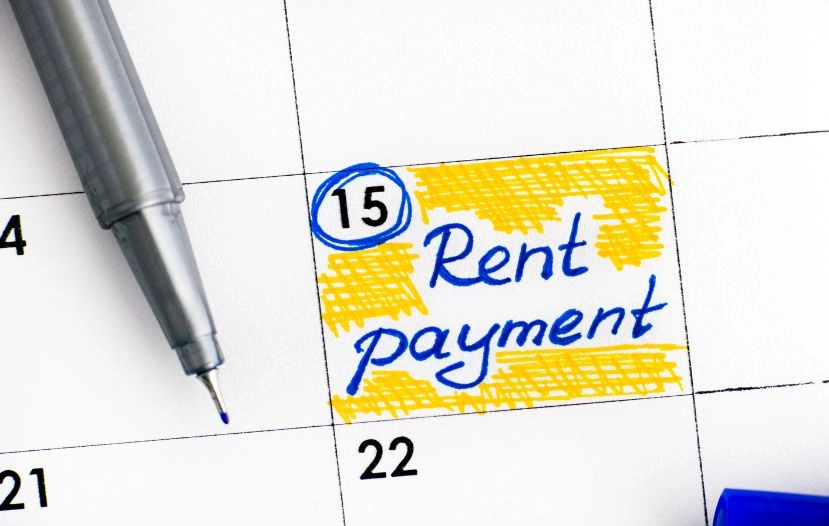
Under Section 194-IB of the Income Tax Act, individuals and Hindu Undivided Families (HUFs) who pay rent to a resident landlord must deduct TDS before making payment. The deducted amount is then remitted to the Government of India.
TDS on rent serves dual purposes as it ensures proper reporting of rental income by landlords while also preventing tax evasion by collecting tax at the source. Whether you’re a tenant or a landlord, understanding TDS on rent ensures compliance and helps avoid unnecessary penalties.
|
Property Type |
Applicable Section |
TDS Rate |
|
Plant, Machinery, or Equipment |
Section 194-I(a) |
2% |
|
Building, Land, Furniture, or Fittings |
Section 194-I(b) |
10% |
a) Individuals / HUFs not liable for audit (Section 194-IB)
If an individual or HUF (not covered under audit) pays rent exceeding ₹50,000 per month to a resident landlord, they must deduct TDS at 2%. This rate was reduced from 5% to 2% effective 1 October 2024, through CBDT Notification No. 68/2024. If the landlord fails to provide a valid PAN, TDS must be deducted at 20% under Section 206AA.
b) Individuals / HUFs liable to audit, Companies, Firms, or Other Entities (Section 194-I)
When the payer is an entity or an individual/HUF subject to tax audit, TDS applies at:
1. Rent below ₹50,000 per month – For individuals/HUFs not under audit (Section 194-IB).
2. Rent paid to Government or local authorities – Payments made to municipalities, housing boards, or other statutory bodies are exempt.
3. Non-Resident Landlords – Section 194-IB or 194-I doesn’t apply to NRIs. Instead, Section 195 applies, requiring 30% TDS (plus surcharge and cess) with no threshold exemption.
1. Correct TDS Deduction: Calculate TDS accurately — 2%, 10%, or 20% (if no PAN).
2. Timely Deposit: Deposit TDS with the government within 30 days of deduction (using Form 26QC under Section 194-IB).
3. Verify PAN: Ensure the landlord’s PAN is correct; errors can cause a mismatch and penalties.
4. Maintain Records: Keep copies of challans, acknowledgements, and Form 16C for future reference or scrutiny.
1. Provide PAN: Furnish your valid PAN to the tenant to ensure the correct TDS rate (2% instead of 20%).
2. Verify Compliance: Check that TDS has been correctly deducted and deposited — you can confirm through Form 26AS or the AIS portal.
3. Report in ITR: Disclose rental income (net of TDS) while filing your income tax return and claim credit for the TDS deducted.
1. Net Banking: Log in to your bank’s net banking portal and select ‘TDS on Rent (Form 26QC)’ to make a payment directly.
2. Income Tax Portal: Visit [www.incometax.gov.in](https://www.incometax.gov.in) → ‘e-Pay Tax’ → choose ‘TDS on Rent (Form 26QC)’ → enter details and pay using debit card, UPI, or NEFT.
3. Mobile Banking Apps: Several banks allow rent TDS payments directly through their apps via integrated tax modules.
1. Authorized Bank Branch: Fill and submit Form 26QC challan along with a cheque or a demand draft.
2. NEFT/RTGS: Transfer the TDS amount to the government’s designated account using your bank’s remittance facility.
1. Calculate TDS: Determine the amount based on the applicable rate and rent.
2. Obtain Landlord’s PAN: Ensure correct PAN details for proper credit.
3. Fill Form 26QC: Complete the online form with details of the tenant, landlord, property, rent, and deduction.
4. Make Payment: Pay online through the portal or offline at an authorized bank.
5. Download Acknowledgement: Save the challan receipt for your records.
6. Issue Form 16C: Generate and provide the TDS certificate (Form 16C) to the landlord within 15 days of filing 26QC.
Pay your TDS on time and stay aligned with the latest developments. What you can do is visit the www.incometaxindiaefiling.gov.in website periodically to stay ahead of the curve. Another great way to go about this is to check out the Uniqey by JJ Tax App. The Uniqey by JJ Tax App features an easy portal to help you pay your TDS and also plan your taxes for the future. Install the app for free!